
Quota at a glance
A bar per tool in the tray, and Bum changes face with your usage — calm, happy, worried, on fire, asleep.
Local-only · Claude Code & Kiro
Per conversation, per turn, per skill — and how close you are to your 5-hour, 7-day and monthly limits. Everything is read from your own machine.
The tray shows a quota bar per tool and Bum's face changes with your usage. The highest percentage sits next to it in the top bar.
A desktop app for Linux, macOS and Windows. It reads the local logs of Claude Code and Kiro and turns them into something you can act on.
A bar per tool in the tray, and Bum changes face with your usage — calm, happy, worried, on fire, asleep.
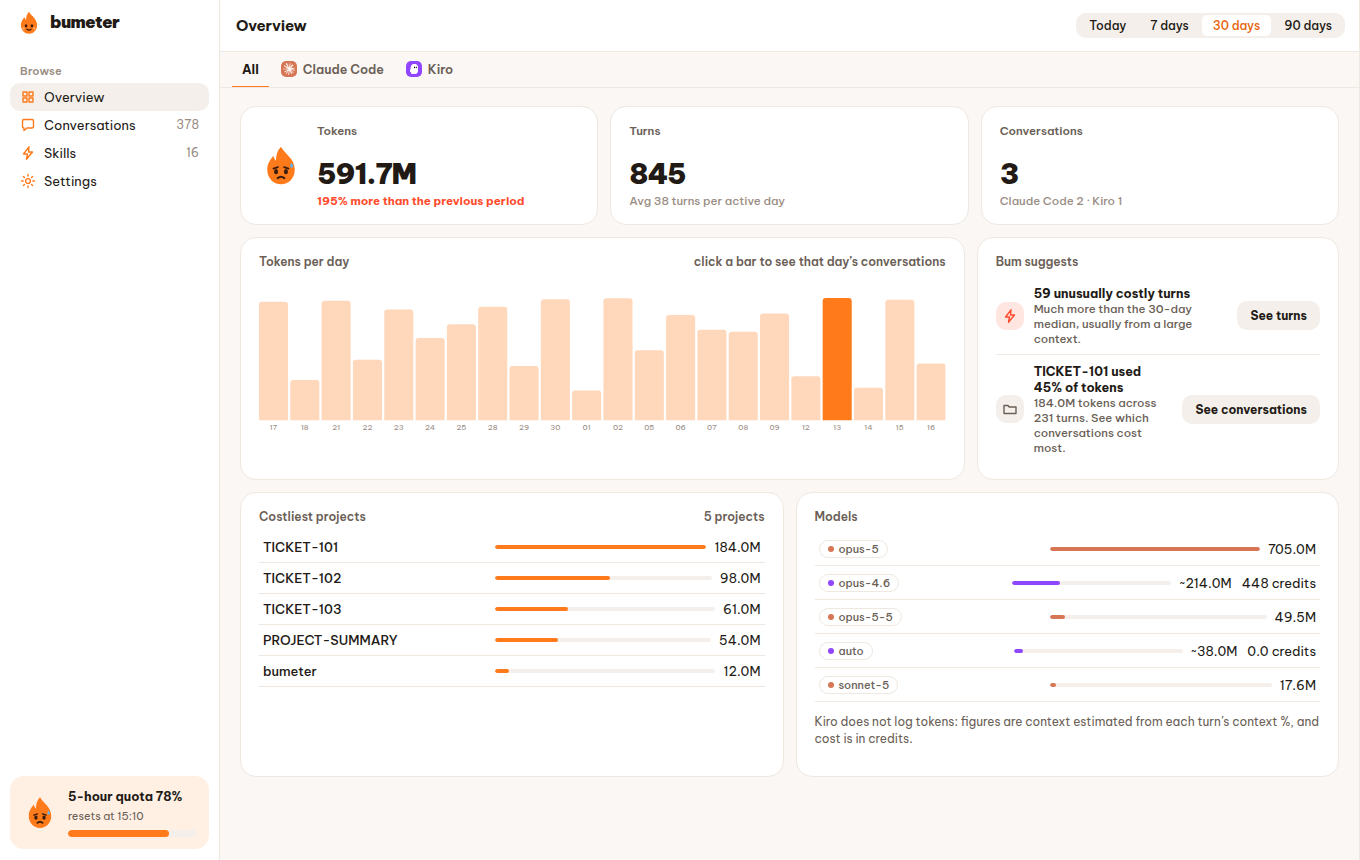
Today, 7, 30 or 90 days: tokens compared with the previous period, tokens per day, costliest projects and models.
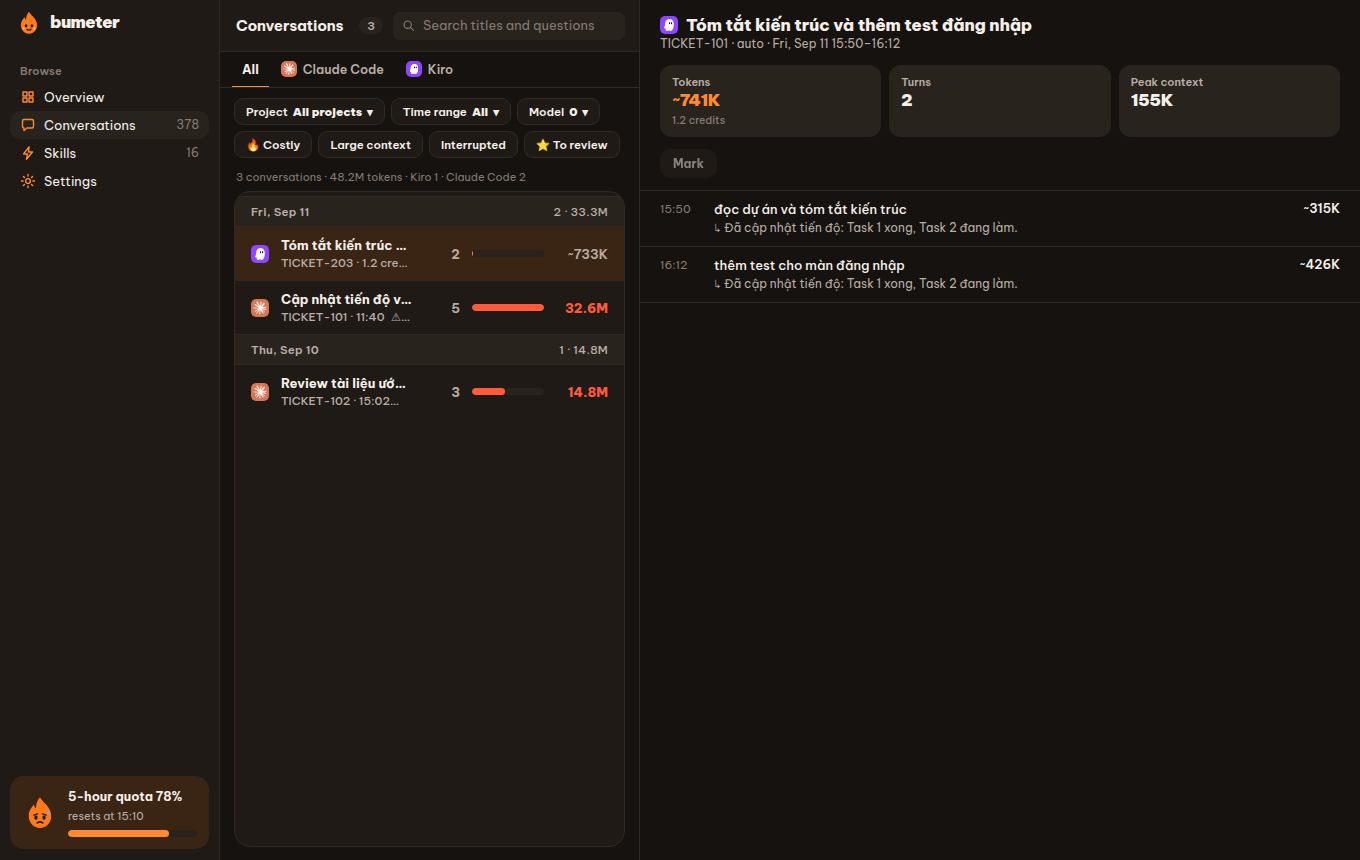
Grouped by day, with a fuel bar per conversation, filters (project, time, model, costly, large context, interrupted, starred) and every turn.
What fills the context window, when it was compacted, and which tool calls were the largest.
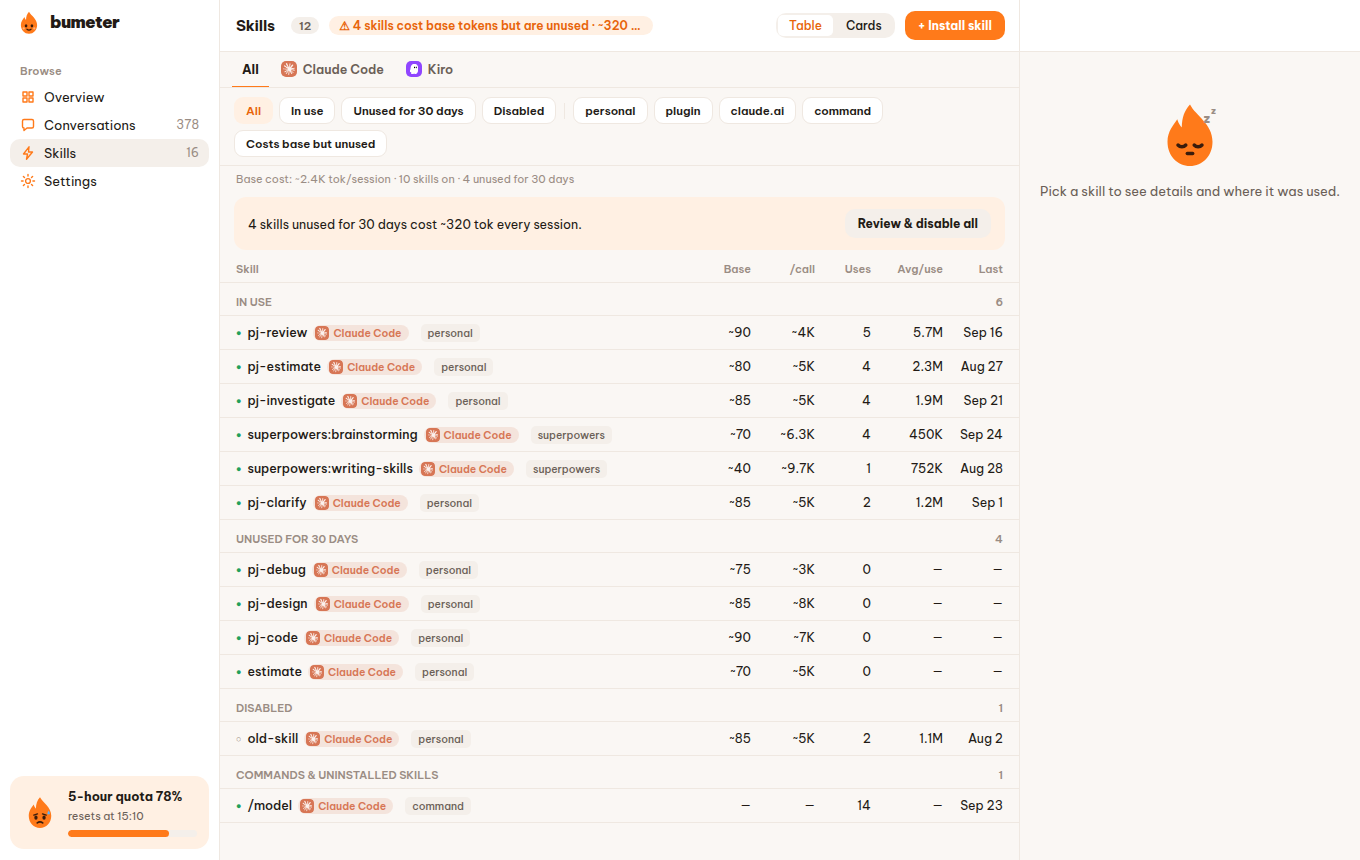
Always-on token cost and real usage of every skill. Install from skills.sh, disable, resize or remove — all with undo.
Get a nudge when a quota passes 70% / 90% or a turn costs far more than usual. Light and dark, Vietnamese and English.
Real screens from the app. Data stays on your machine.
Free and open source. The button above picks the right build for your system — or choose a file below.
Ubuntu 24.04+ or equivalent (WebKitGTK 4.1)
Apple Silicon and Intel
Windows 10 / 11 · not code-signed yet
sudo apt install ./Bumeter_1.0.2_amd64.debOr run the AppImage without installing: chmod +x Bumeter_…_amd64.AppImage.
macOS and Windows builds are not code-signed yet, so Gatekeeper and SmartScreen will warn on first launch.
No. Bumeter reads Claude Code and Kiro logs on your own machine and keeps everything local, in a SQLite database. Nothing is uploaded.
Claude Code and Kiro today. Bumeter runs on Linux (Ubuntu 24.04 or newer), macOS (Apple Silicon and Intel) and Windows 10/11.
Yes. Bumeter is free software under the GNU GPL v3.0 or later. Download it from the releases page.
For Claude Code, the 5-hour and 7-day quota comes from its status line hook. For Kiro, the monthly credit limit comes from kiro-cli /usage or from Settings.